


Guitar Solo - Master Hero
4.4174.00 Reviews
App Specs
- Version
- 1.5
- Updated On
- License
- Free
- Downloads
- 1,000,000+
- Developer
- Zeeppo
- Categories
- Music
- Platform
- Android
Screenshots

 Analysis by AppCompare
I approached Guitar Arena - Hero Legend as a quick music game rather than a guitar lesson, and that distinction makes it easier to know what to expect. You tap in time with songs, aim for accurate timing, and try to improve your performance. You don’t need to know how to play an instrument to get started; the appeal is the rhythm challenge and the feeling of following a track closely.
What to expect from a guitar rhythm game
The game sits in the music category, but it is built around playing along on a screen, not learning chords or practicing real guitar technique. That makes it a natural fit for short breaks: I can pick it up when I want something more active than listening to music, without needing to set aside time for a full session. It is free to download, with optional in-app purchases priced from $0.99 to $99.99 per item, so I would treat spending as a choice rather than part of the basic decision to try it.
Zeeppo is the developer, and the game has an average rating of 4.3 from around seven thousand ratings, with more than a million installs. Those figures suggest that plenty of players have tried it, but they don’t tell me whether its particular songs or tapping style will suit you. The useful test is whether you enjoy following a beat and repeating a track to tighten your timing. Its Everyone age rating also makes the tone approachable for a broad audience, though younger players should still have an adult’s help with any optional purchases.
Getting started without overthinking setup
The first step is simply to install the game and open it when you have a few uninterrupted minutes. It runs on Android 7.0 or later, and the current version is 1.5. I’d begin with the easiest available challenge rather than trying to prove anything on the first song. That gives you room to learn how the on-screen cues line up with the music and how quickly you need to respond.
Before starting, set your phone somewhere comfortable to hold and choose a volume that lets you hear the beat clearly. If you usually play with sound low or muted, rhythm games can feel less intuitive because the audio helps you anticipate the timing. Headphones can make it easier to focus in a noisy room, but they are not a requirement; the practical goal is to hear the track without turning the session into a struggle.
My best first-session tip is to focus on one thing at a time. On the first run, follow the cues and let the score be secondary. On a replay, notice whether your taps are consistently early or late, then adjust your timing slightly. That simple comparison is more useful than tapping harder or faster. The game rewards precision, so frantic input is unlikely to help when the real issue is reading the rhythm.
How the playing experience develops
I find the most useful way to judge the game is to separate learning its timing from chasing a high score. A first run can show whether the beat and visual cues make sense to you, while a replay helps you notice what to adjust without adding pressure. Once that rhythm feels familiar, the next choice is whether you want to explore progression or keep your sessions focused on songs.
Worth Reading Before You Choose

EA SPORTS FC Mobile 26 Is a Bigger Football Game, but It Takes Time

Flipboard Shows What News Apps Must Do Beyond the Feed

Switching to Android Auto Means Rethinking Your Driving Routine

Google Calendar Makes a Crowded Week Easier to Manage

Ludo King Makes the Most of the Minutes Between Plans

Baby Panda World Brings Quick Play to Modern Phones, but Its Game Library Feels Busy
The first satisfying run
A first meaningful success does not have to be a perfect score. For me, it is finishing a song while keeping a steady sense of the beat, then seeing that a more deliberate second attempt feels better. The basic loop is easy to understand: listen, watch, tap, and try to be more precise. That quick feedback makes the game approachable even if you have never played a rhythm game before.
Difficulty levels help make that first run less intimidating. Starting easy gives you a chance to connect the musical pulse with the timing cues before moving up. When a track feels comfortable, increasing the challenge can make familiar music feel new again. I would move up only when I can follow the current level without guessing at every cue; otherwise, a harder setting can turn a satisfying song into a string of frustrating misses.
There is a useful trade-off here: repeating a track can help you recognize its rhythm, but familiarity can also make you tap on autopilot. If your accuracy stops improving, take a short break or switch to another song, then return with fresh attention. This is a better approach than endlessly replaying the same section while annoyed, especially when your hands or focus are getting tired.
Visual style, guitars, and progression
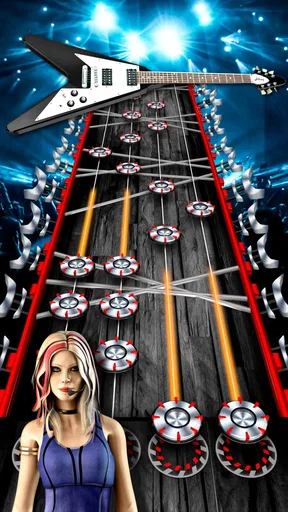
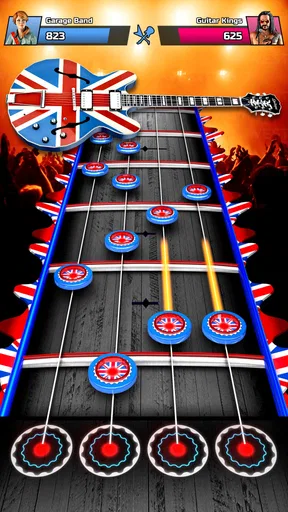
The interface leans into a concert-like rock look, with bright visuals that give the tapping a stage-performance frame. I found that atmosphere helps the game feel more lively than a plain sequence of notes. At the same time, visual effects can compete with timing cues if you are easily distracted. If you notice yourself watching the stage instead of following the rhythm, make the cues and the beat your priority rather than trying to take in every detail at once.
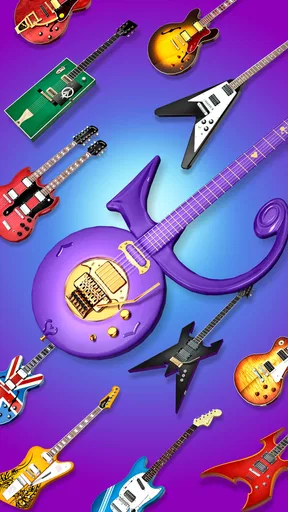
Customization gives progression a visible reward. You can personalize the guitar, and new guitars and gear become available as you advance; the original article describes these items as adding performance boosts as well as changing the look. That creates a reason to keep playing beyond improving a single score. I would still treat the cosmetic appeal and the timing challenge as separate reasons to continue: if collecting gear is what motivates you, progression may feel satisfying, while players who only want a clean music challenge may care less about unlocks.
New venues and stages also change the backdrop as you progress. Their main value is variety in presentation, not a reason to assume every stage will transform the underlying tapping. I like that distinction because it keeps expectations realistic: the setting can freshen a session, while the core activity remains listening and hitting the beat accurately.
Music, competition, and everyday use
The soundtrack is a major part of the experience, with songs described as spanning different styles, from rock-oriented tracks to softer material. That range can make the game easier to return to if you do not want every session to have the same mood. Sound quality matters in a rhythm game because the music is not just decoration; it helps you keep time. If a song does not click with you, it is worth trying another track before deciding that the whole game is not for you.
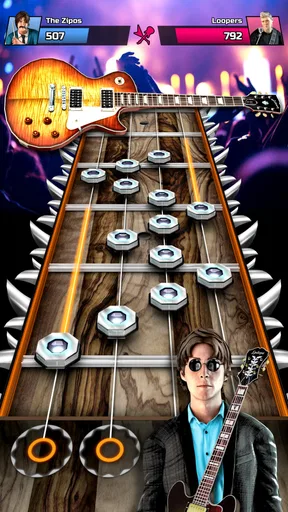
Multiplayer adds a competitive reason to improve, letting players go head-to-head and compare their results on a leaderboard. I would save that for after I understand the tapping rhythm in solo play. Otherwise, the pressure to beat another player can distract from learning the cues. Once the basics feel natural, competition can turn a familiar song into a focused challenge. It is less appealing if you prefer a quiet, self-paced game and do not care about comparing performance.
A realistic use case is a short wait before an appointment or a few minutes on the couch after dinner. I can play one track, decide whether I want another, and stop without needing to coordinate a group or set up an instrument. For that kind of break, a phone rhythm game is more convenient than a console music game or a real guitar practice session. Those alternatives are better, though, if you want fuller physical controls, deeper song arrangements, or genuine instrument skills rather than quick tapping.
Where it can frustrate, and who should skip it
The simple controls are both the strength and the limitation. They make it easy to begin, but players looking for complex guitar techniques or a simulation of fretting and strumming should choose a different kind of music app. This is a timing game, not a substitute for lessons. Similarly, if you mainly want to listen to a personal music library, a streaming or music-player app is a better fit; the point here is to interact with selected tracks through gameplay.
Some friction is normal when learning to read cues while listening. A missed tap can come from rushing, losing the beat, or looking away at the wrong moment, so it is not always obvious which habit needs work. I recommend replaying once with attention on the music and once with attention on the cues. Comparing those attempts can show whether the challenge is hearing the pulse or reacting to what appears onscreen. If neither approach makes the timing feel clearer, lowering the difficulty is more sensible than forcing a harder run.
Optional purchases are another reason to be deliberate. The game is free, but the listed per-item purchase range runs from under a dollar to nearly a hundred dollars. I would check the purchase prompt carefully and avoid buying anything just because a session has gone poorly or you feel stuck. The most useful first question is whether you enjoy the core rhythm loop; spending should not be the way you test that.
It is also not the right pick for someone who wants every session to be calm and passive. Tapping accurately asks for attention, and multiplayer can add pressure. A song-based casual puzzle or a standard music player may suit you better when you want to unwind without reacting quickly. Conversely, someone who likes replaying a short challenge and noticing small improvements may find the compact format rewarding.
Taking the next step
After a comfortable first run, I would choose one track to revisit, keep the difficulty where I can follow the beat, and aim for steadier timing rather than a dramatic score jump. Once that feels consistent, try a harder level or explore another song. This gradual path makes progression feel earned and helps separate genuine improvement from luck on a single attempt.
If you enjoy competing, move into multiplayer after you are comfortable with the basic cues. If you prefer solo play, there is no need to treat the leaderboard as the point of the game; the personal challenge of improving your own run is enough. Likewise, try the guitar and stage unlocks if visual rewards keep you motivated, but do not feel that you need to chase every item to enjoy a song.
Have you ever dreamt of shredding a guitar like your favorite rock legend? Well, Guitar Arena - Hero Legend might just be your ticket to fame. I’ve been jamming with this app for the past few weeks, and let me tell you, it’s a blast! I felt like I was on stage, minus the screaming fans (for now!). Let's dive into what makes this app a total rockstar in the world of mobile gaming.
Rocking Features
First off, the app greets you with a slick interface that screams "rock 'n' roll." The graphics are vibrant and engaging, pulling you right into the heart of a live concert. The moment I launched it, I couldn’t help but tap along to the beats.
Gameplay that Hits the Right Note
The gameplay in Guitar Arena - Hero Legend is as smooth as a guitar riff. You’ll find yourself tapping along to a range of tracks, from classic rock anthems to modern hits. It's all about timing and rhythm here. The more precise your taps, the higher your score. It’s simple yet addictive, and you’ll find yourself saying, "Just one more song!" until you’ve played through your entire playlist.
One thing I particularly loved is the variety of difficulty levels. Whether you’re a beginner or a seasoned pro, there’s a level for everyone. I started on easy, but the challenge cranks up as you advance, keeping things exciting.
Customization and Unlockables
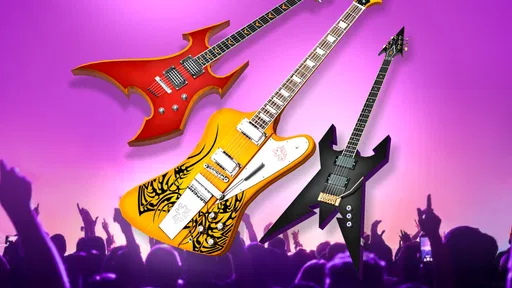
What’s a rockstar without their guitar, right? The app lets you customize your instrument, and there are loads of options to choose from. As you progress, you can unlock new guitars and gear, which not only look cool but also boost your performance. It’s a nice touch that adds a layer of personalization to your gaming experience.
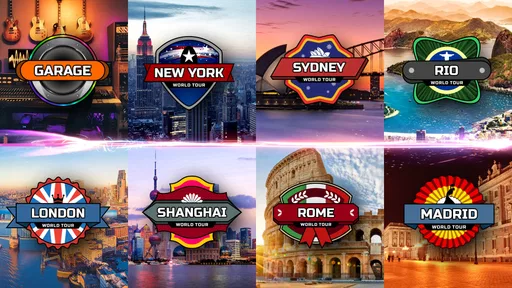
In addition to guitars, you can unlock new venues and stages. Performing in different settings adds a fresh vibe to each session. I found myself motivated to keep playing just to see what the next stage would look like.
Soundtrack that Rocks Your Socks Off
If there’s one thing Guitar Arena - Hero Legend nails, it's the soundtrack. The song selection is fantastic, covering a wide range of genres and artists. From shredding solos to mellow ballads, there's something for every music lover. And the best part? The sound quality is top-notch, making you feel like you’re right there in the studio with the band.
Multiplayer Mode: Battle it Out
Feeling competitive? The multiplayer mode lets you go head-to-head with fellow players from around the globe. It’s a great way to show off your skills and maybe even learn a trick or two from other players. I had a blast competing and climbing up the leaderboard. It adds a social element that keeps the game fresh and engaging.
Final Thoughts
All in all, Guitar Arena - Hero Legend is a must-try for any music game enthusiast. It combines engaging gameplay with killer graphics and a soundtrack that keeps you coming back for more. Whether you’re looking to kill some time or challenge yourself with intricate riffs, this app has got you covered.
So, dust off your virtual guitar, crank up the volume, and get ready to rock the arena. Who knows, you might just become the next guitar legend!
Pros
- Intuitive controls make it easy to learn.
- Wide selection of popular songs to play.
- Regular updates with new content.
- Visually appealing graphics and animations.
- Includes multiplayer mode for added fun.
Cons
- In-app purchases can be costly.
- Occasional lag during gameplay.
- Limited offline features available.
- Ads can be intrusive at times.
- Requires a stable internet connection.
FAQs for Guitar Solo - Master Hero
What is Guitar Arena - Hero Legend and how does it work?
Guitar Arena - Hero Legend is a rhythm-based game designed for music enthusiasts who enjoy playing guitar simulations. Players can tap along to various songs, matching notes as they scroll across the screen. The game offers multiple difficulty levels, allowing users to progress and improve their skills. It provides a virtual guitar-playing experience without needing actual instruments.
Is Guitar Arena - Hero Legend free to play?
Guitar Arena - Hero Legend is free to download and play, but it does offer in-app purchases. These purchases can include additional songs, features, or customization options. While the core experience is free, players may find it beneficial to invest in some of these extras to enhance their gameplay and enjoy a fuller experience.
What devices support Guitar Arena - Hero Legend?
Guitar Arena - Hero Legend is available on both Android and iOS platforms. It supports a wide range of devices, but for the best performance, it is recommended to use a device with the latest operating system and sufficient processing power. Check the app's requirements on the Play Store or App Store to ensure compatibility with your device.
Can I play Guitar Arena - Hero Legend offline?
Yes, Guitar Arena - Hero Legend offers an offline mode that allows users to play selected songs without an internet connection. However, accessing certain features, such as downloading new songs or competing in online leaderboards, will require an internet connection. Offline play is perfect for users who want to enjoy the game on the go.
How does Guitar Arena - Hero Legend compare to other rhythm games?
Guitar Arena - Hero Legend stands out due to its extensive song library, intuitive controls, and immersive graphics. It caters to both beginners and more experienced players with its adjustable difficulty levels. While similar to other rhythm games, its focus on guitar music and unique song selection makes it a popular choice among fans of the genre.


